 PawPacs
See slices in context
Switch between series and MPR planes, adjust windowing and use measurement tools. Saved views preserve a selected image context.
Cloud PACS for CT / MRI
CT and MRI produce many images per study. PawPacs connects archive search with series navigation, MPR and its own 3D viewer. The OHIF integration provides another way to access the same images.
From €250 net per PACS per month, including 1 TB of primary storage. A 14-day trial is available on request. Pricing and options
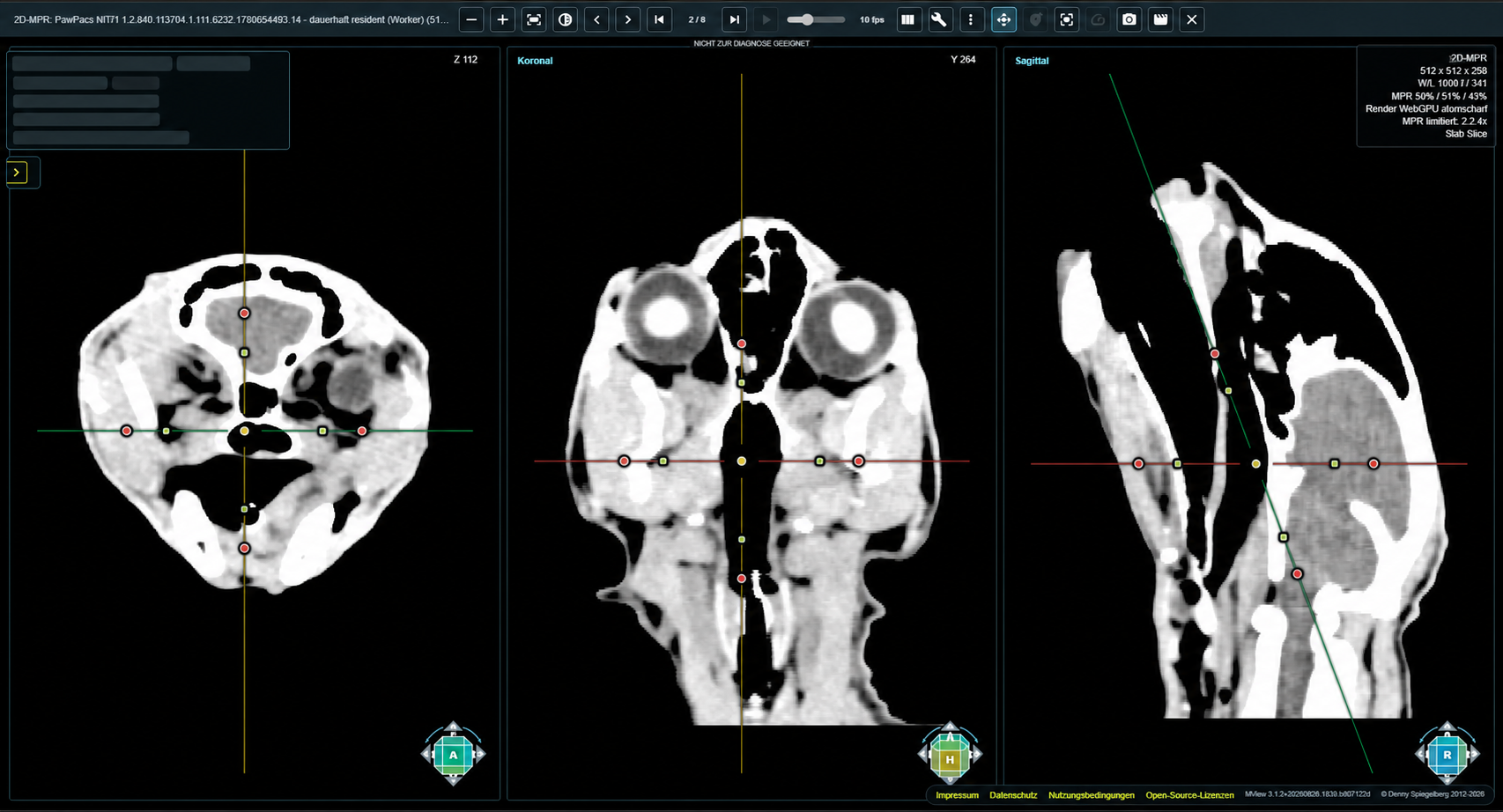
Switch between series and MPR planes, adjust windowing and use measurement tools. Saved views preserve a selected image context.
Loading time also depends on data size, connectivity and the workstation. During a trial, we assess the complete path from your device to the viewer rather than promise a universal speed.
Authorised radiologists can access the studies made available to them. The additional collaboration pilot supports joint image reviews with moderated participation.
Example workflow · CT
A clinic acquires a CT study. An authorised radiologist needs to review the complete series from another workstation.
An illustrative workflow using existing product features, not a customer case study. Device connectivity and required modules are checked before use.
The device transfers DICOM data directly to the agreed destination or through a local PawPacs Node with a VPN connection. The transfer path is tested together.
The clinic checks the import and patient assignment. The explorer lets users find the study by patient, modality or date range.
An authorised user opens the study in a browser, selects a series and views the slices in MPR. The PawPacs viewer and OHIF integration both connect to the same archive.
A configured user account or a specific share in the optional customer-server module enables remote access. The recipient and expiry of the share are defined.
Operations & privacy
Check connectivity
We assess connectivity with your existing imaging equipment free of charge. The manufacturer, model and intended transfer workflow are enough for an initial assessment.
You receive an assessment of the connection path and any further information needed. Setup, device licences and any data migration are quoted separately afterwards.
Please do not send patient, owner or login details. The manufacturer's DICOM conformance statement helps with the technical assessment.